
HOTEL ACCESS · MALAYSIA SELECTION
Yorfan TEVC(temic), MEVC(mifare)
Source-listed values: Power supply: 12V DC; Current consumption: 1000mA. Check the source and configuration notes below.
19 published fields · Specification data available · Reviewed 7 October 2026
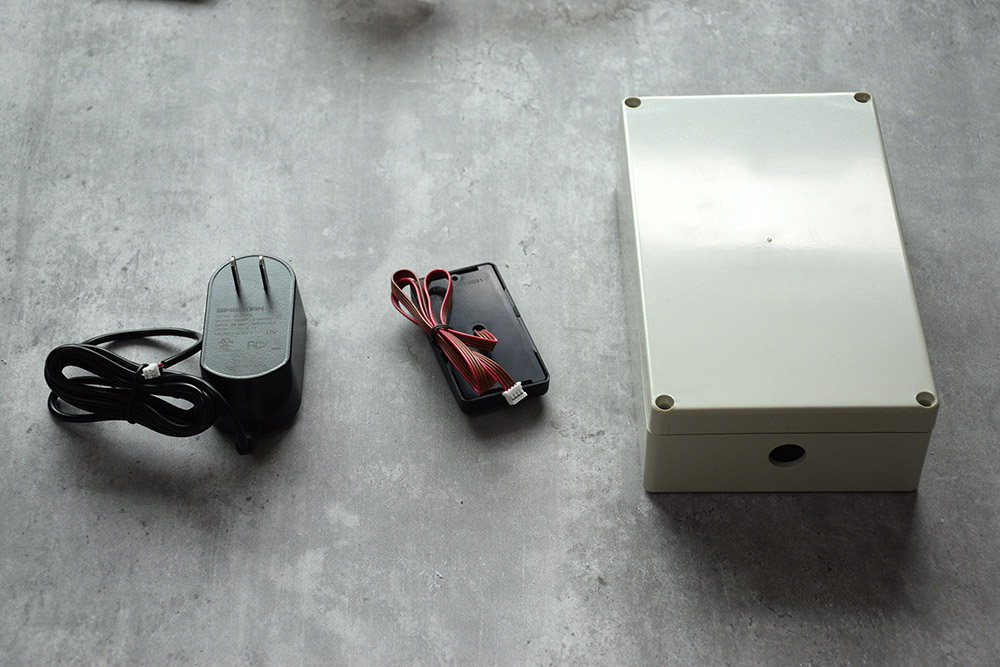
Product artwork

Parameters from the linked sources
What the published attributes mean for your project
Credentials and front-desk workflow
Card type: T5557card(TEVC)、Mifare card(MEVC)
Check that the stated configuration fits your credentials and staff workflow. Test checkout and lost-credential handling.
Power and maintenance planning
Power supply: 12V DC
Plan consumables, service access and failure recovery around the stated power supply and endurance conditions.
Published product attributes
| Attribute | Published value | Source |
|---|---|---|
| Model | TEVC(temic), MEVC(mifare) | Published product detail |
| *Support 3 kinds of control modes | no control, floor control, floor + time control; | Published product detail |
| *Support swipe card conversion | can realize the opening of the elevator system and the switch between the card and the elevator; | Published product detail |
| Power supply | 12V DC | Published product detail |
| Current consumption | 1000mA | Published product detail |
| Card type | T5557card(TEVC)、Mifare card(MEVC) | Published product detail |
| Reading distance | 10~50mm | Published product detail |
| Input | NO | Published product detail |
| Output | 8 or 16 sets of normally closed contacts, direct mode and 16 other normally open contacts | Published product detail |
| Working temperature | -20 ~ 70 ° C | Published product detail |
| Storage temperature | -30 ~ 105 ° C | Published product detail |
| Humidity | relative humidity 5% to 95% | Published product detail |
| A,Normal mode | After swiping the card, the designated floor button is valid, and the button is manually pressed to reach the designated floor; | Published product detail |
| B,Direct mode | After swiping, if only one floor is valid (such as guest card), you can directly reach the designated floor without pressing the button; if multiple floors are valid (such as master card, building card, etc.), then the mode is the same as normal mode,you need pressi the floor button; | Published product detail |
| Notice | If it is set as the gate of the building (use installation card of the gate of the building), all the unlock cards of the building can activate all the floors; | Published product detail |
| 1) No control | Just like there is no elevator floor controller installed, you can press anyfloor button at any time; | Published product detail |
| 2) Only floor control | After the card is swiped, it can reach the designated floor without time control. | Published product detail |
| 3) Floor + time control | After the card is swiped, if the time is valid, you can reach the designated floor. | Published product detail |
| Product category | elevator-control-reader | Published product detail |
Documents and installation guidance
Technical document check
品牌尚未公布
No matching public technical-document link was found in the sources checked.
Document search: 2026-10-14. The public center provides shared software and installation resources, but no exact-model hardware applicability list was verified for the remaining records.
Official document or support entry — Shared catalogue, software/SDK and installation references; check the listed model scope.
Sources and search scope
Official YORFAN Download center and its catalogue, TTLock and Installation Manual targets, plus previously collected model detail evidence. No blanket mapping of software manuals or generic installation drawings to every product.
- YORFAN official Download center — Shared resources listed; hardware model applicability unconfirmed.
- TTLock APP manual 3.0 — Software manual.
- Installation Manual target — Public image; exact model applicability unconfirmed.
- Catalogue archive — Archive cannot be inspected by the search extractor; no model-level document mapping made.
- Collected product detail source — model identity reference.
Configuration and procurement checks
Unpublished or unverified items
- Installation manual: pending.
Malaysia project acceptance
- Check the ordered product against your measured door or accessory schedule, then test an installation sample.
- Before rollout, test the actual software and what happens at checkout, when a credential is lost and when power fails.
- Ask the quotation to name the installer and set out the applicable local documents, warranty and service coverage.