
HOTEL ACCESS · MALAYSIA SELECTION
Yorfan YFFW-ODS
Source-listed values: Material: aluminum alloy; Dimension: 315*42*21.5MM. Check the source and configuration notes below.
22 published fields · Specification data available · Reviewed 7 October 2026
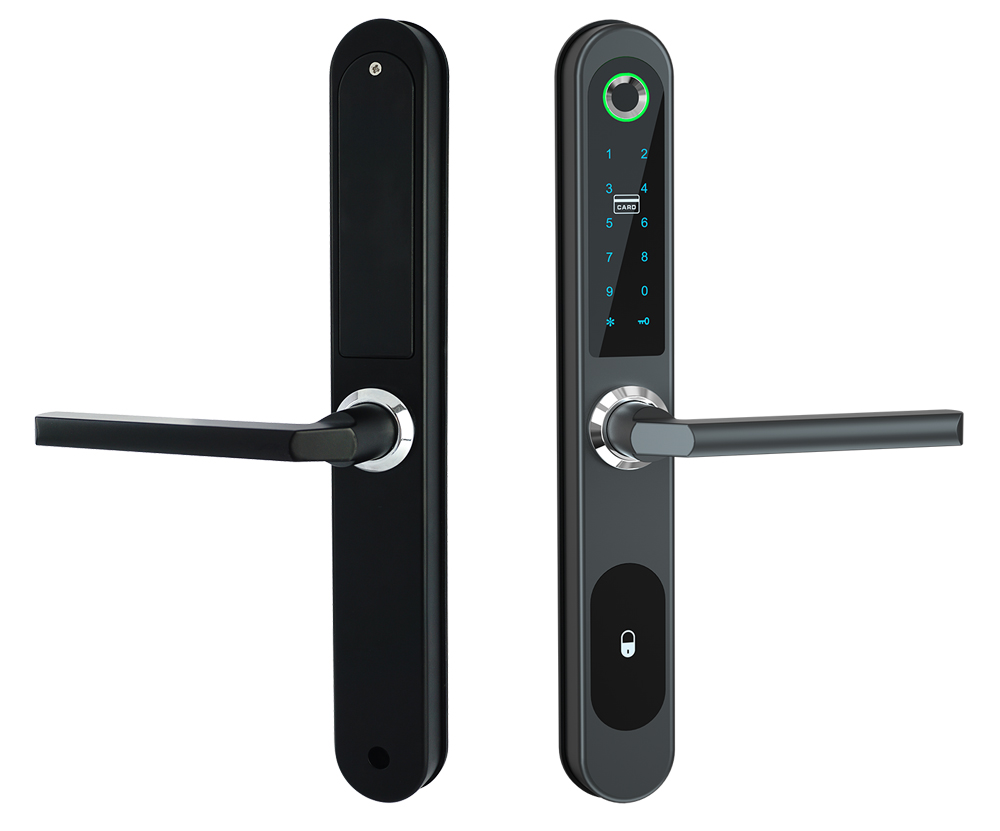
Product artwork

Parameters from the linked sources
What the published attributes mean for your project
Door fit and replacement cost
Dimension: 315*42*21.5MM
Compare these measurements with your existing doors. Before covering old cut-outs or changing the mortise, check the matching drawing and fit a sample.
Credentials and front-desk workflow
Unlock: Fingerprint+Password+Card+Mobile APP(by wifi)
Check that the stated configuration fits your credentials and staff workflow. Test checkout and lost-credential handling.
Published product attributes
| Attribute | Published value | Source |
|---|---|---|
| Model number | YFFW-ODS | Published product detail |
| Material | aluminum alloy | Published product detail |
| Color | silver, black | Published product detail |
| Unlock | Fingerprint+Password+Card+Mobile APP(by wifi) | Published product detail |
| Dimension | 315*42*21.5MM | Published product detail |
| Mortise | 8535 type,8545,8525 etc also available,5572, 3592, 3590 mortise also ok, but need inform advance, use different accessories | Published product detail |
| Back up key | 2pcs/set | Published product detail |
| App | TTlock(bluetooth) ,Tuya(bluetooth), TTlock(WIFI) | Published product detail |
| Fingerprint capacity | 30pcs, Card capacity:30pcs, Password capacity: 30pcs(FP100pcs,Card 100pcs,password 100pcs can be customed. MOQ 100pcs) | Published product detail |
| Waterproof | IP65(only front panel) | Published product detail |
| 1, stand alone system | Fingerprint+card+password+key | Published product detail |
| 2, TTlock bluetooth version | Fingerprint+bluetooth(TTlock APP)+card+key+password+remote controller+wifi(need gateway) | Published product detail |
| 3, Tuya bluetooth version | Fingerprint+bluetooth(Tuya APP)+card+key+password+wifi(need gateway) | Published product detail |
| 4, TTlock wifi version | Fingerprint+wifi(TTlock APP,no need gateway))+card+key+password+remote controller | Published product detail |
| (2) bluetooth gateway version | after the gateway is connected, the user with the right to unlock the phone, whether connected to bluetooth or not, can unlock the phone remotely; It also supports short-range bluetooth unlocking. | Published product detail |
| (1)no-gateway version | connect the door lock via the bluetooth of the app, and the administrator can create the password for him/herself or other family members; | Published product detail |
| (2) bluetooth gateway version (separate published field) | when the door lock is connected to the bluetooth gateway,it supports remote settings. | Published product detail |
| Note | hijack password refers to use one specific password to open the door will trigger app hijack alarm (the same as fingerprint, door card etc.), so the gateway version is recommended to use this function. | Published product detail |
| (1)no-gateway version (separate published field) | connect the door lock via the bluetooth of the app, and the administrator can conduct fingerprint collection for him/herself or other family members; | Published product detail |
| (1) no-gateway version | connect the door lock via bluetooth of the app, and the administrator can input the door card for himself or other family members; | Published product detail |
| (1) no-gateway version (separate published field) | when setting the unlock id, the lock should be connected to the bluetooth of mobile phone before setting. | Published product detail |
| Product category | wifi-door-lock | Published product detail |
Documents and installation guidance
Technical document check
品牌尚未公布
No matching public technical-document link was found in the sources checked.
Document search: 2026-10-14. The public center provides shared software and installation resources, but no exact-model hardware applicability list was verified for the remaining records.
Official document or support entry — Shared catalogue, software/SDK and installation references; check the listed model scope.
Sources and search scope
Official YORFAN Download center and its catalogue, TTLock and Installation Manual targets, plus previously collected model detail evidence. No blanket mapping of software manuals or generic installation drawings to every product.
- YORFAN official Download center — Shared resources listed; hardware model applicability unconfirmed.
- TTLock APP manual 3.0 — Software manual.
- Installation Manual target — Public image; exact model applicability unconfirmed.
- Catalogue archive — Archive cannot be inspected by the search extractor; no model-level document mapping made.
- Collected product detail source — model identity reference.
Configuration and procurement checks
Unpublished or unverified items
- The table lists values transcribed for this model.
- Installation manual: pending.
Malaysia project acceptance
- Check the ordered product against your measured door or accessory schedule, then test an installation sample.
- Before rollout, test the actual software and what happens at checkout, when a credential is lost and when power fails.
- Ask the quotation to name the installer and set out the applicable local documents, warranty and service coverage.